

See the slideshow
Blog
Subscriber Self Registation
The person from whom the newsletters are sent, the sender, is also know in our system as the Subscriber Manager.
Multiple Subscriber Managers can be associated with a Team Edition. Each Team Edition will have a sign up form on its microsite. People who sign up at the microsite for a Team Edition will be associated with the default Subscriber Manager who, in turn, can reassign that subscriber to another Subscriber Manager in the same team.
In addition, each Subscriber Manager, whether they are in team or not, will be provided with a unique URL that will allow people to sign up as that Subscriber Manager’s subscriber. The Subscriber Manager could send an email to their prospects, customers, partners, colleagues and invite them to become a subscriber, compliments of that Subscriber Manager.
The Subscriber Manager’s form and the microsite are similar to this:
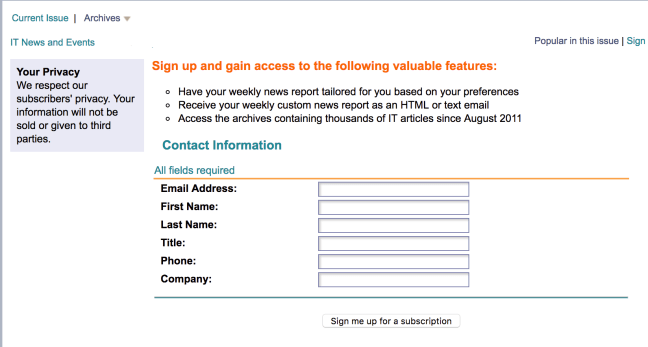
Once the new subscriber completes the form and presses the “Sign me up for a subscription” button they will be added to the data bases in a “suspended” state and an email will be sent to them. They will remain inactive or suspended until they click on the link in the email that was sent to them. This “double opt-in” process guarantees that the email entered is valid and that a human took the action of completing the opt-in process.
Newsletter Layout – Simple
Another layout option that works really well with mobile devices is our “simple” format. It looks great in web mail clients, tablets and traditional mail clients:
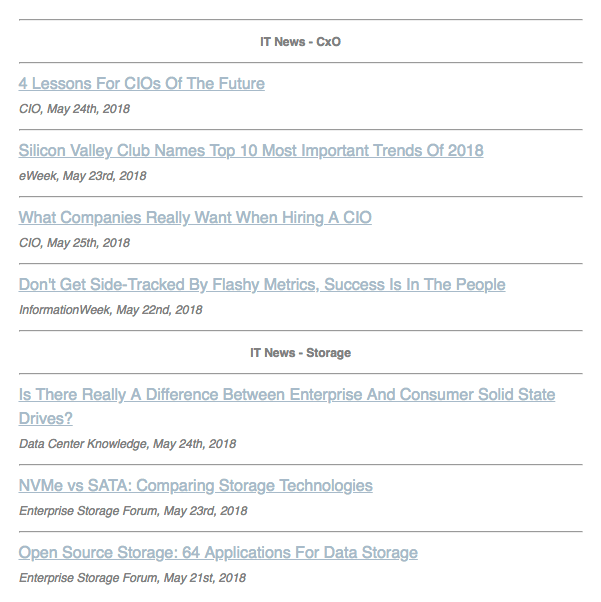
The links will go to the referenced articles and your e-marketing tool – such as MailChimp – will track which of your subscribers clicked on which links.
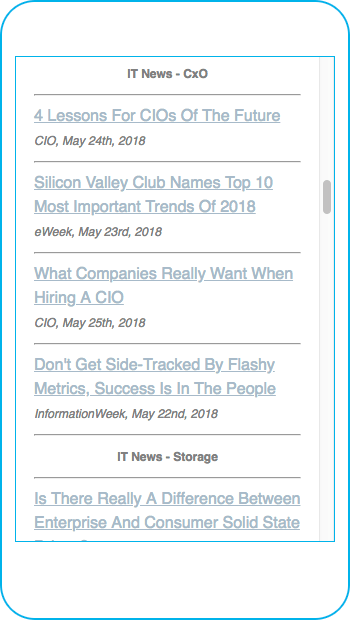
The simple layout looks great on a mobile device:
MailChimp – Forever Free?
If you want to send newsletters and other marketing messages to your customers and prospects, then MailChimp is a very popular tool well worth considering.
MailChimp is even more appealing if you can leverage their Forever Free Plan.
That plan allows you to send 12,000 total emails per month and have up to 2,000 total subscribers across all lists in the account. That means you have a weekly newsletter.
In addition to producing turn-key newsletters with our own software, IT News and Events (ITNE) has a Content Service that works with MailChimp.
Included in that service:
- Joint development of Newsletter Layout
- Weekly setup, review and send
Joint development of Newsletter Layout
ITNE will work with you to select a template and customize it to make it your firm template. We can produce our content in several formats and you can choose the one that your like best.
Weekly setup, review and send
Each week, ITNE will copy last week’s newsletter and replace last week’s news with this week’s.
You will have 24 hours to make changes.
After 24 hours, on our agreed schedule, ITNE will “push the button” to send the newsletter to your contact from your address in your MailChimp account.
Tracking and Responses
Each send of a weekly newsletter is considered a “campaign”. At any time, you can login to your MailChimp account a review the performance of campaign. You can see who
- opened the newsletter
- what links they clicked on
Your standard newsletter template should include calls to action by phone and email.
Additional Campaigns
You can use the standard features of MailChimp to create additional campaigns which you can send to all or some of the same people who receive your IT newsletter.
Become A Trusted Advisor
Deliver Valuable IT Content to Your Network
92% of people are more likely to do business with you if you produce new and relevant content.
We do that for you! Continue reading Become A Trusted Advisor
Newsletter Content: links and logo – with or without intro paragraph

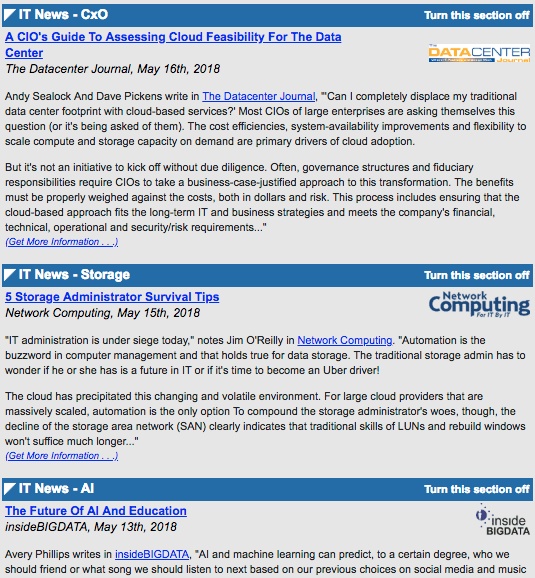
The newsletters that we produce for our customers have:
- The title of the article with a hyperlink to the actual article
- A subtitle with
- The name of the publication
- Date of publication
- A logo for the publication
One form of newsletter has a paragraph or two describing the article.
Another form does not.
In both cases, the articles are grouped into named sections such as ‘IT News – Storage’.
Each subscriber can choose which sections are included in their copy of the newsletter.
 IT Newsletters As A Service